Help Center
What is Caction?
Caction is a purpose-built operations management platform designed to help teams improve efficiency, stay aligned, and scale confidently. It offers various features that facilitate operational excellence and leadership development across different industries, including the Equipment Maintenance Industry. Caction enables users to manage asset records, job history, job scheduling, task delegation, real-time updates from the field, compliance with standard operating procedures (SOPs), performance monitoring through reports and analytics, and an overview of workflows for better task management.
To understand better on how data works in Caction, you may read up our guide on Understanding Data Levels on Caction
Benefits of Caction:
- Real-Time Progress, Less Hassle: You can update your work status the moment you finish a task. This keeps management in the loop automatically, so you won't have to deal with check-in calls throughout the day.
- Everything You Need on Your Phone: No more hunting for paperwork or outdated job sheets. Whether you’re at a site or on the move, you have full access to job histories and details right in your pocket.
- Simple SOPs & To-Do Lists: We’ve built in To-Do lists to act as your digital assistant. It ensures you follow the Standard Operating Procedures (SOPs) effortlessly, so you never miss a step and the quality of your work stays top-tier.
- One-Tap Check-In/Out: Forget manual time-logging. You can certify your presence at a site and track your hours with a simple check-in and check-out feature, making sure your hard work is accurately recorded.
- Visual Proof with Photo Uploads: A picture is worth a thousand words. If you run into a snag or want to show off a completed job, just snap a photo and add a comment. It’s the fastest way to communicate issues and protect yourself with visual documentation of your work.
Overall, Caction is here to clear the clutter from your workflow and make sure you have the support you need to do your best work.
Navigate to the section by clicking it.
How to log in by Mobile
Make sure that you have downloaded the Caction Mobile App. Once you have downloaded the app, you can follow this guide below on how to login to the app, using your phone number or your email address.
Download Here for Android User:
https://play.google.com/store/apps/details?id=com.connection.crm
Download Here for IOS User:
https://apps.apple.com/us/app/sales-connection/id1327210298
Download Here for Huawei User:
https://tinyurl.com/yvj4pwf7
Do take note if you encounter an error message in regards to the account doesn’t exist, please reach out to the Admin of your Company Account.
Login using Phone Number
-
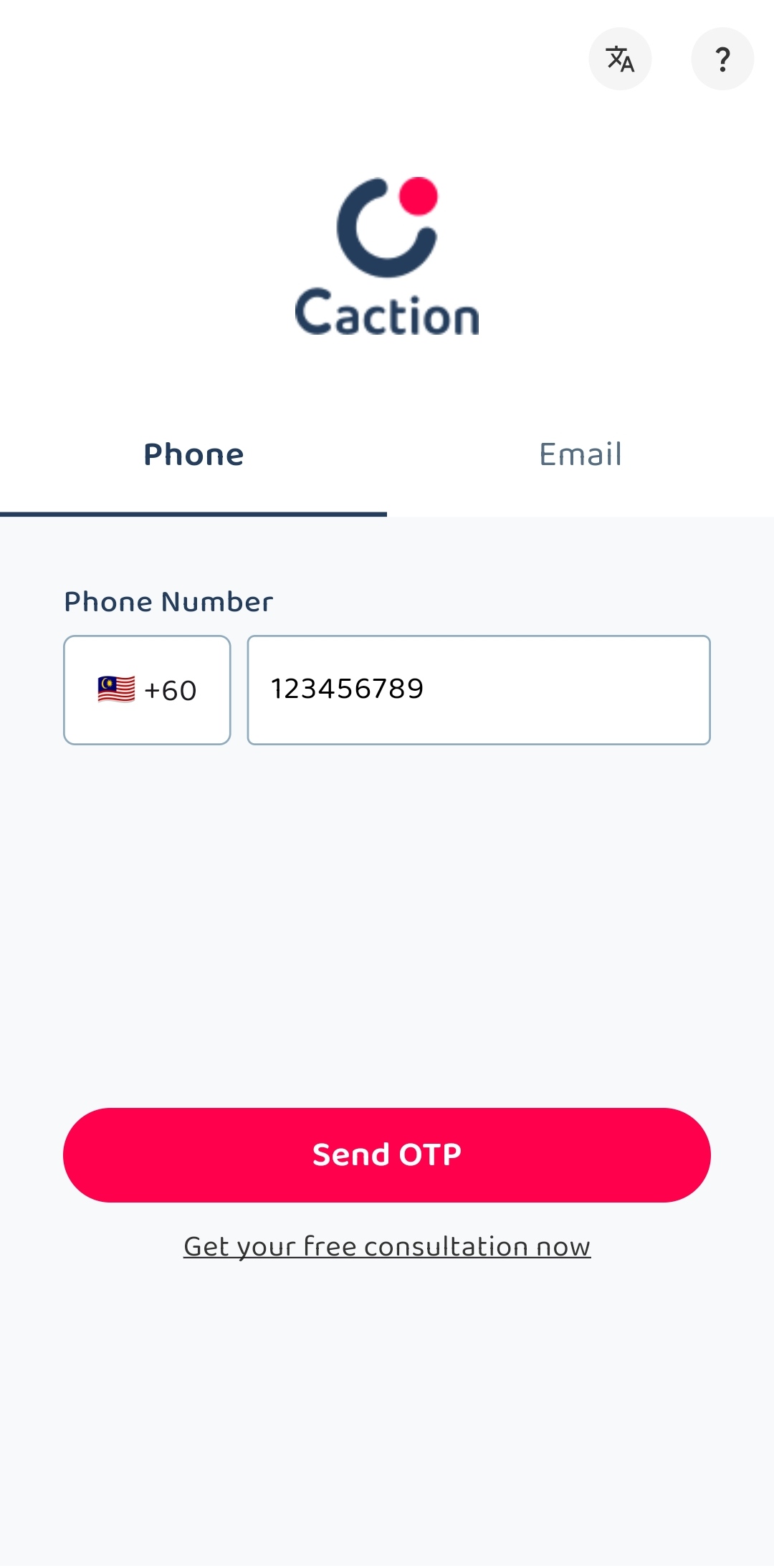
Open the Caction’s App, enter the registered phone number and click “Send OTP”.
-
Check your “Messages” app and look for the “OTP Code” sent by 62XXX.
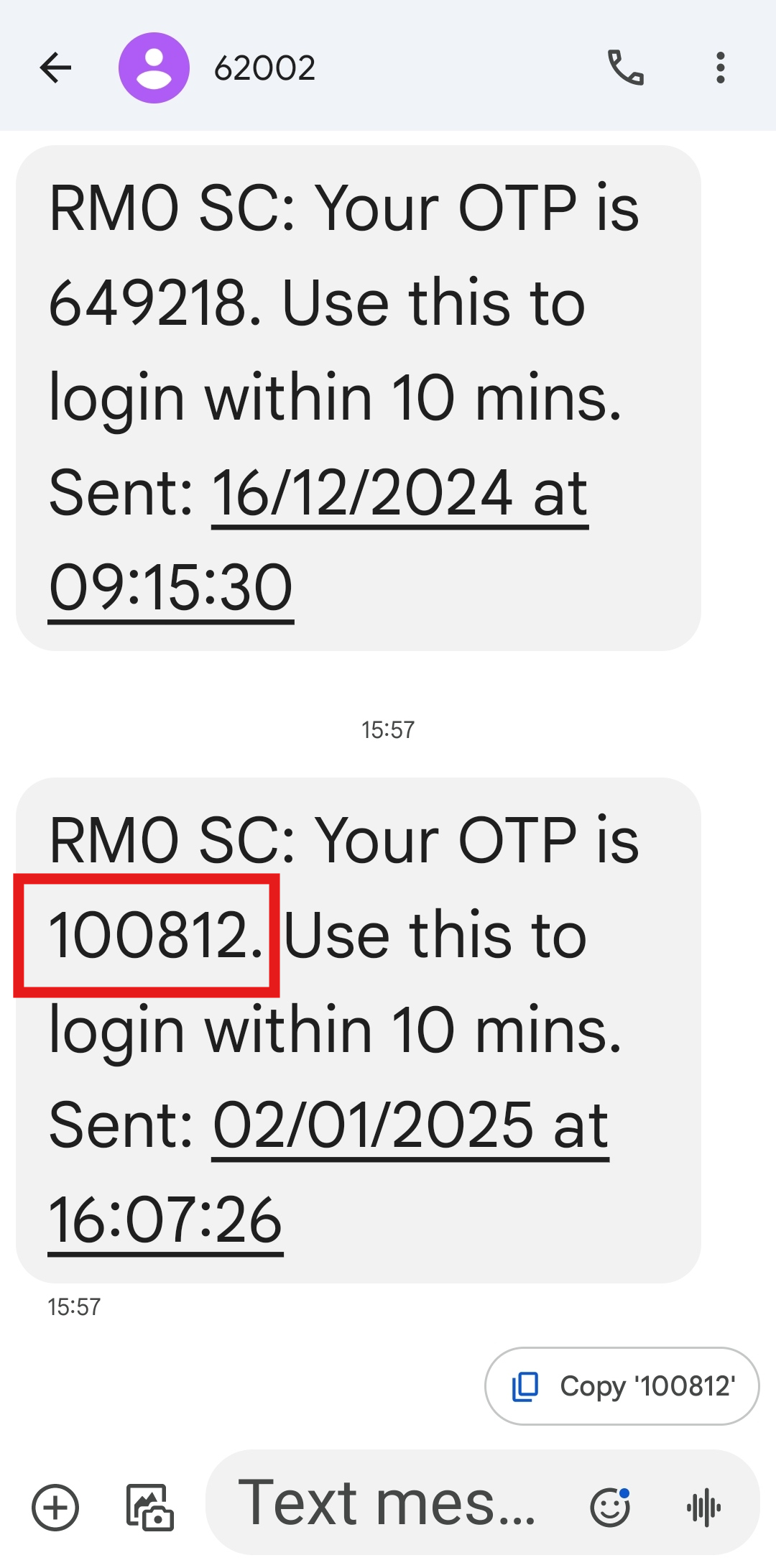
*Note: Please wait at least 1 minute before requesting a new “OTP Code”.
-
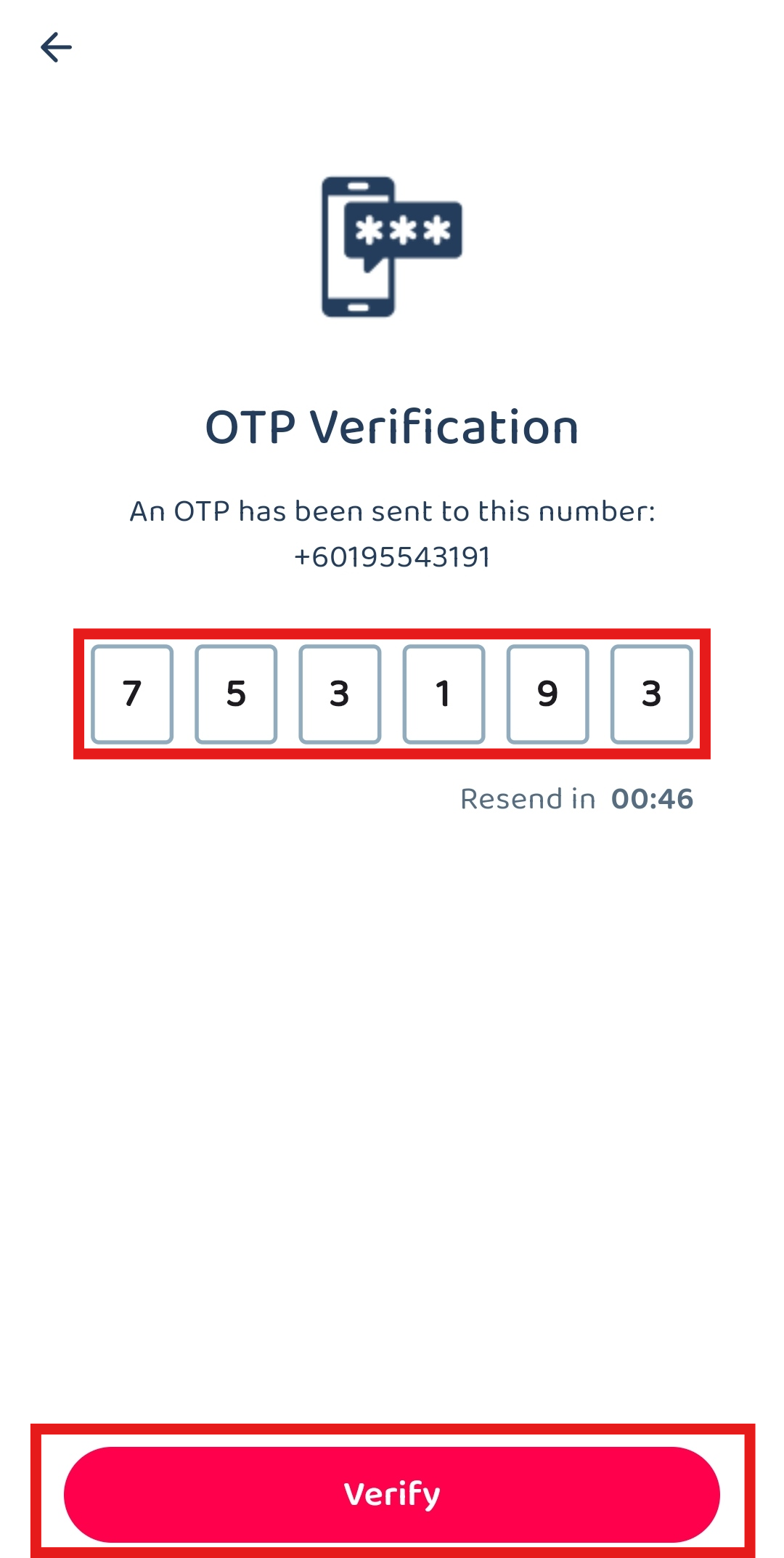
Enter the “OTP Code” you received and click the “Verify” button to login to the app.
Login using Email
-
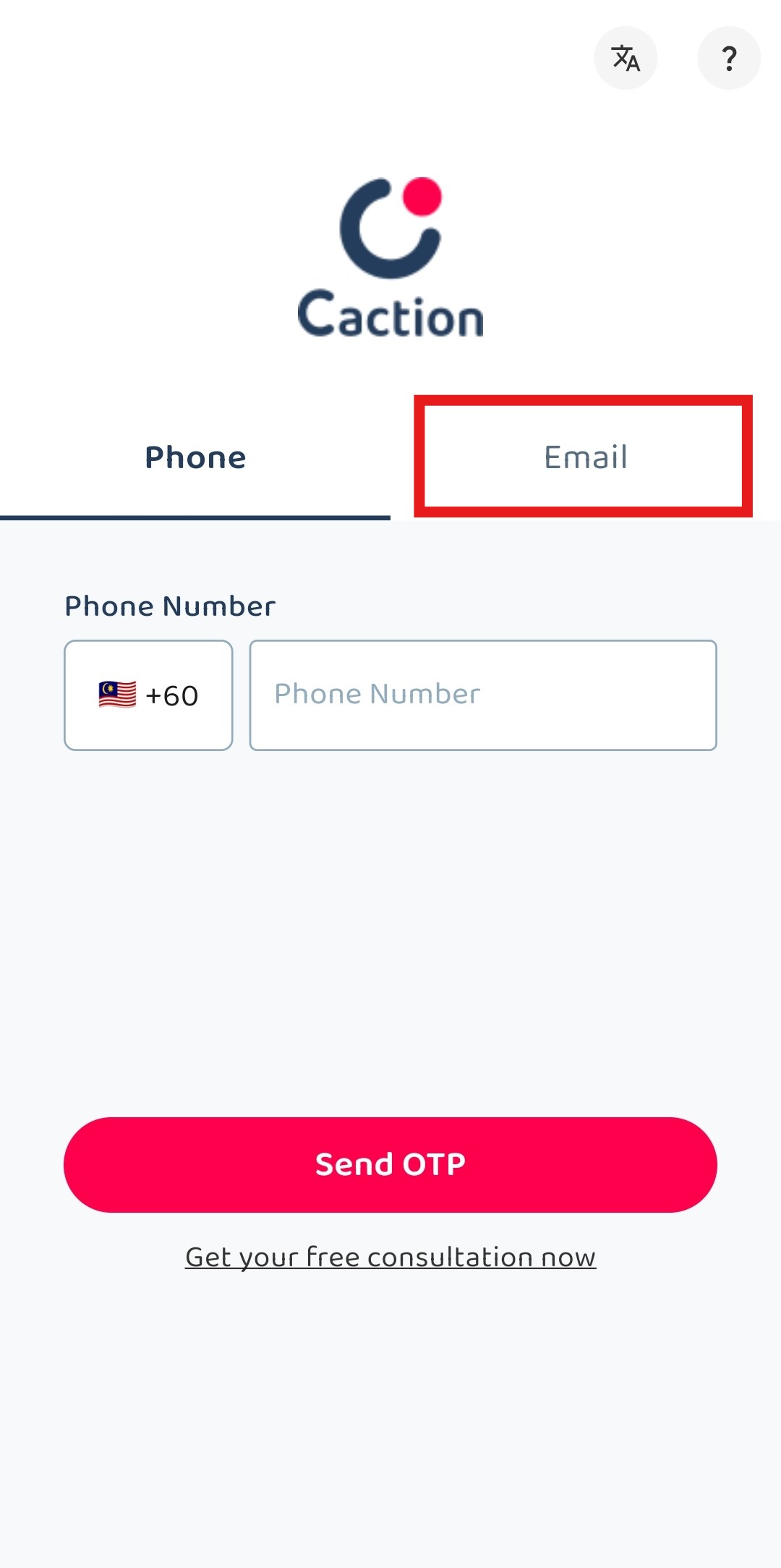
Open the Caction’s App, choose “Email”.
-
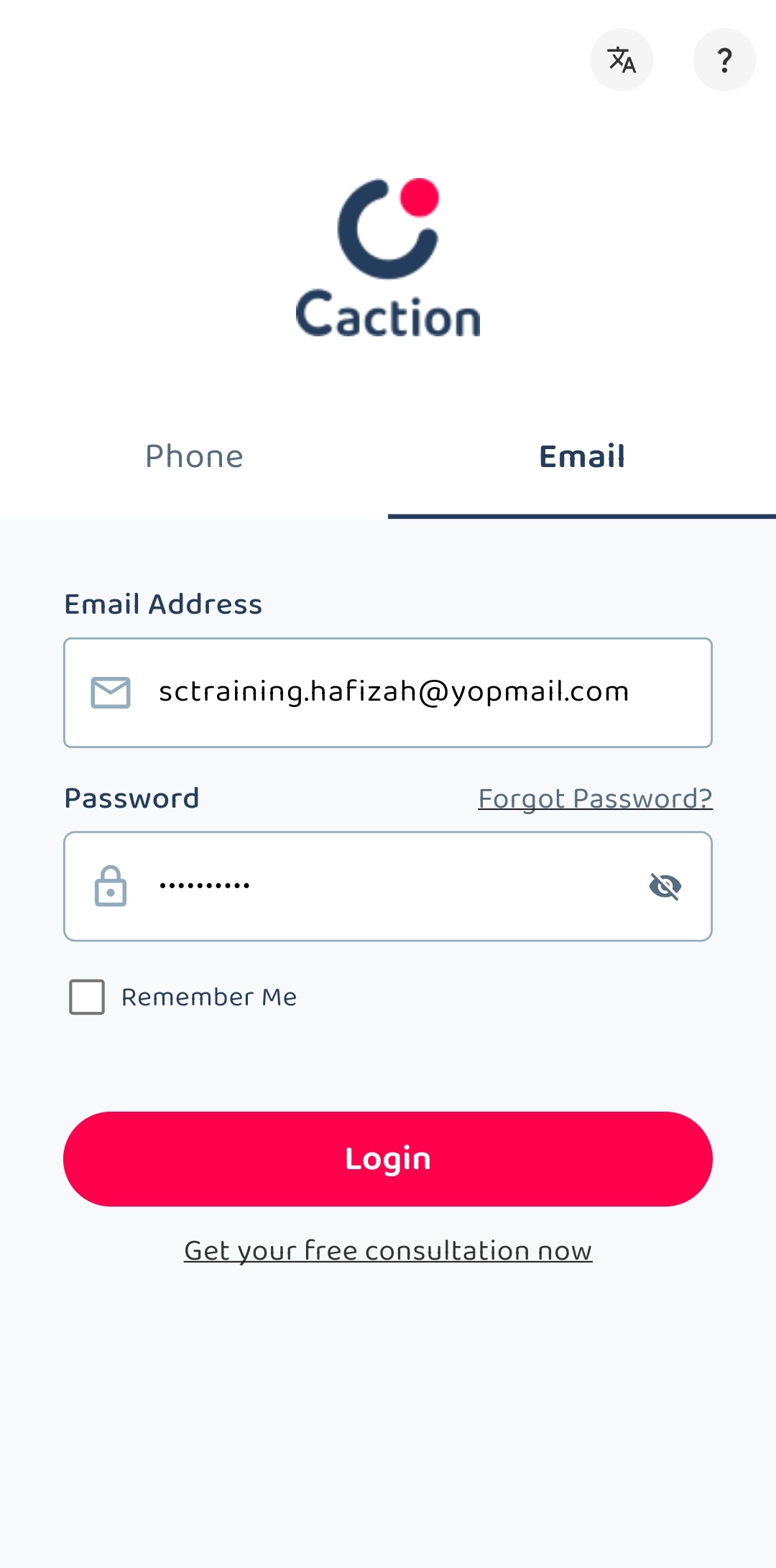
Enter the registered email with the correct password.
-
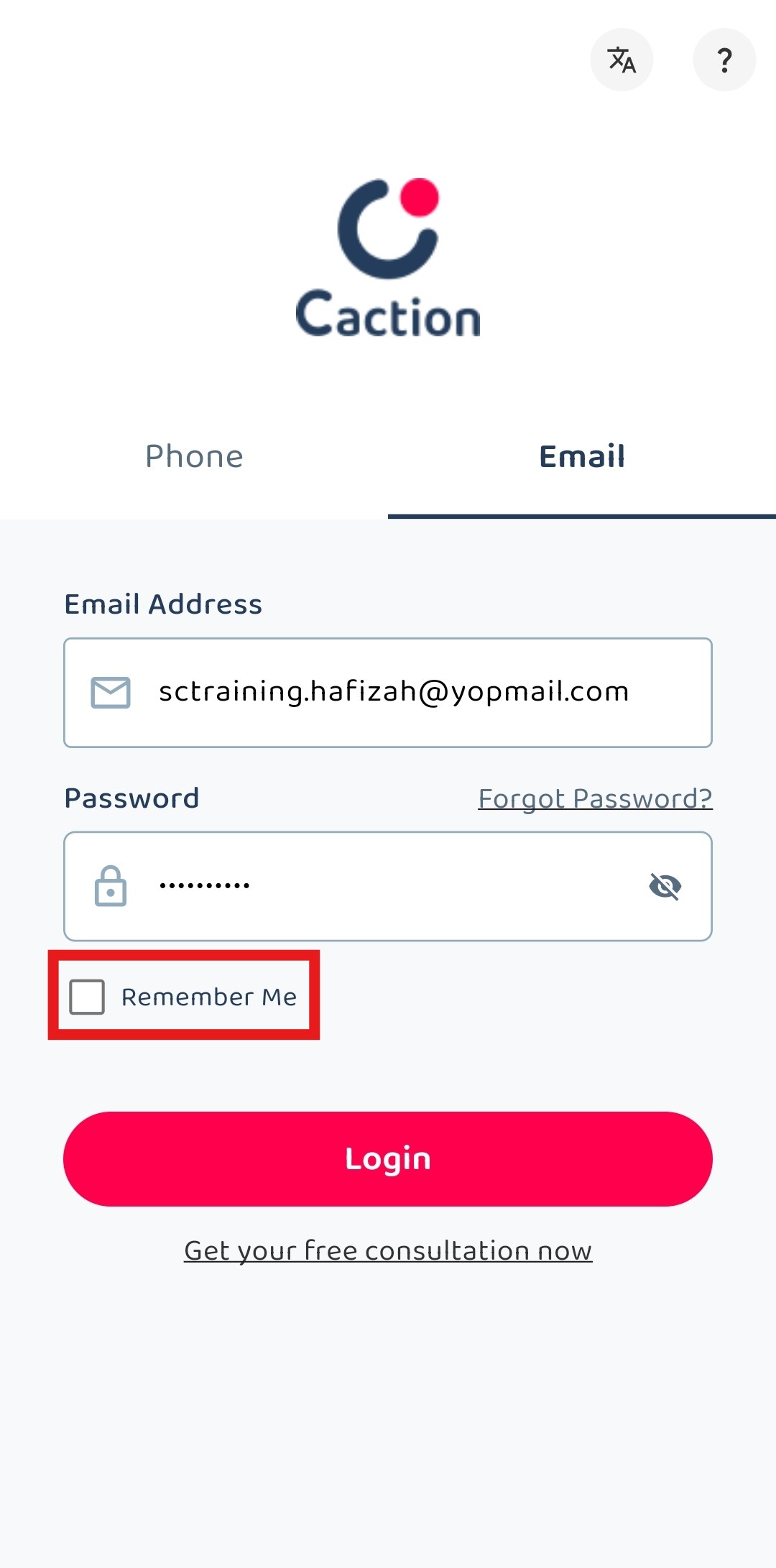
Remember to tick “Remember Me” if the phone is owned by you.
-
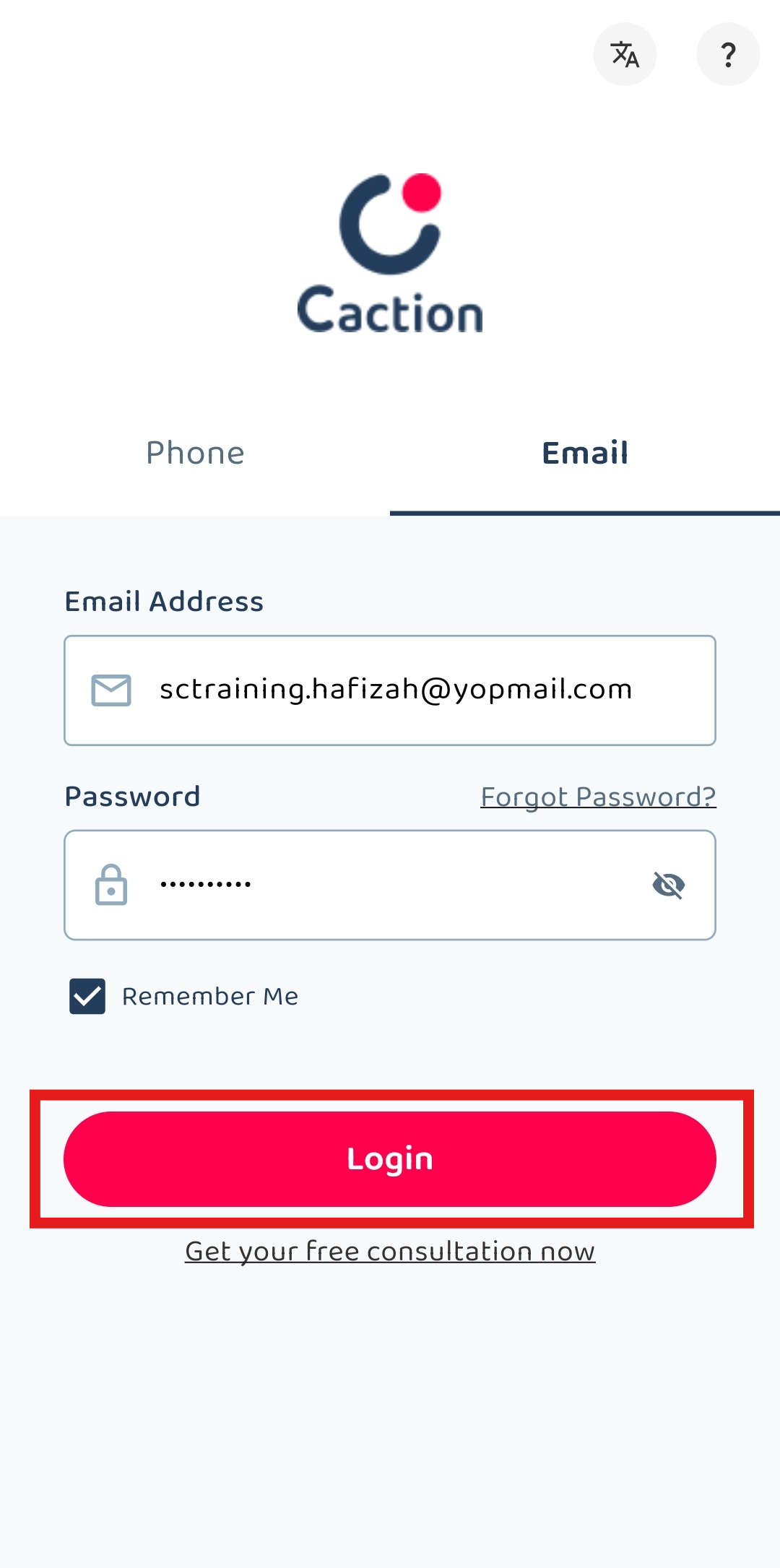
Click “Login” to login to your account.
How to log in by Desktop
*Note: If you do not have access to the desktop version, please contact your Admin account.
-
Visit Caction’s website and click “Login”.
Open Caction’s Website Here: https://system.caction.com/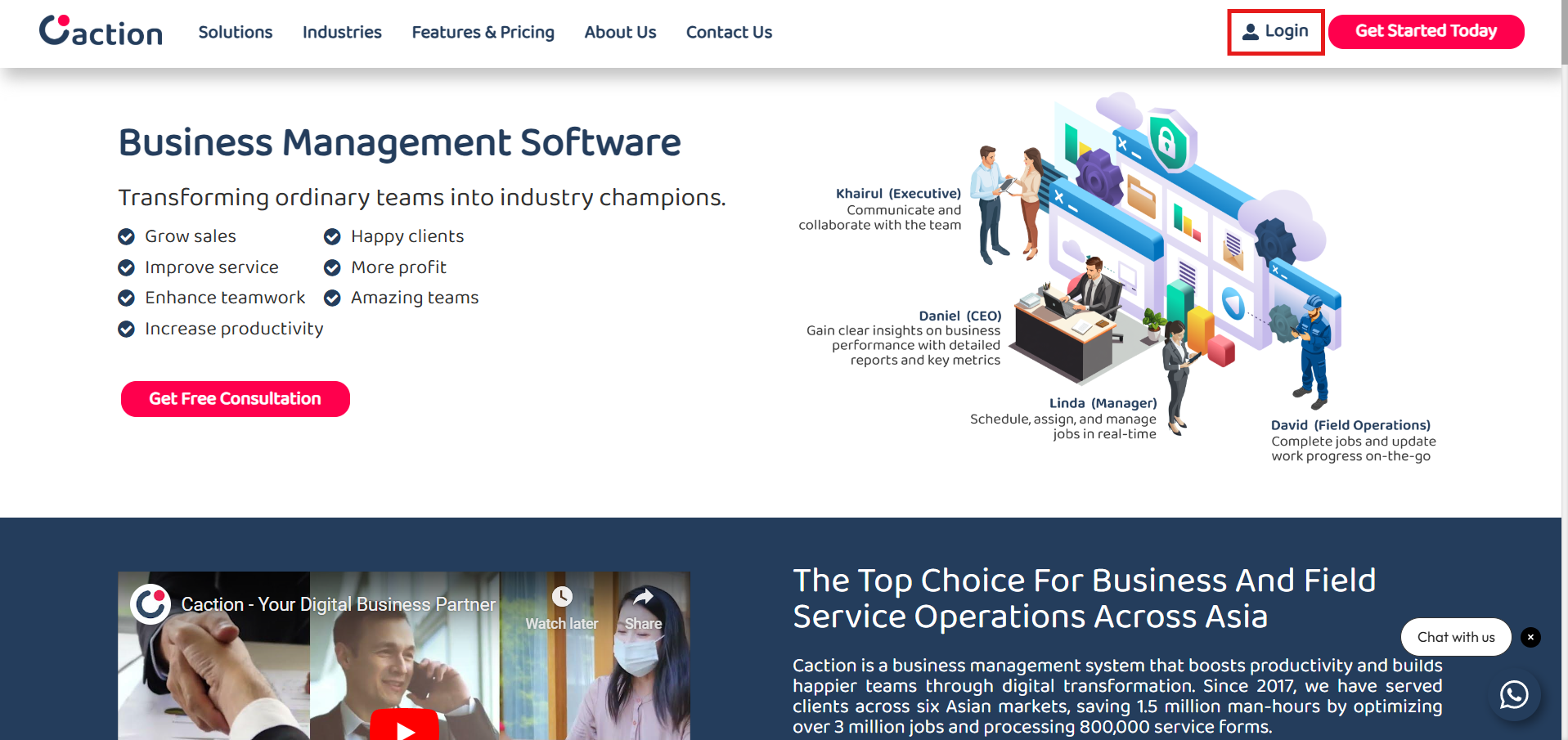
-
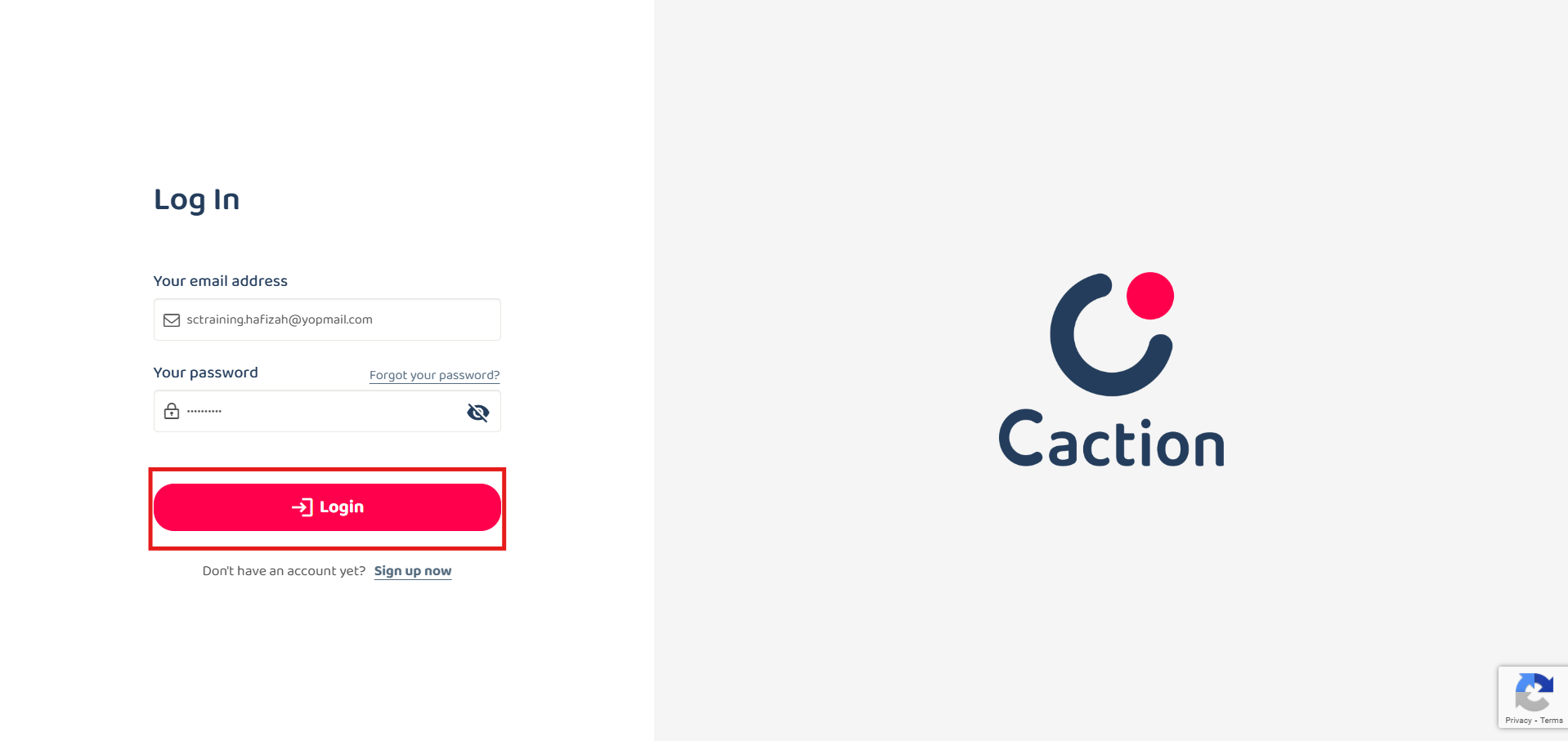
Login using the registered email address with the correct password.
Login Here: https://system.caction.com/login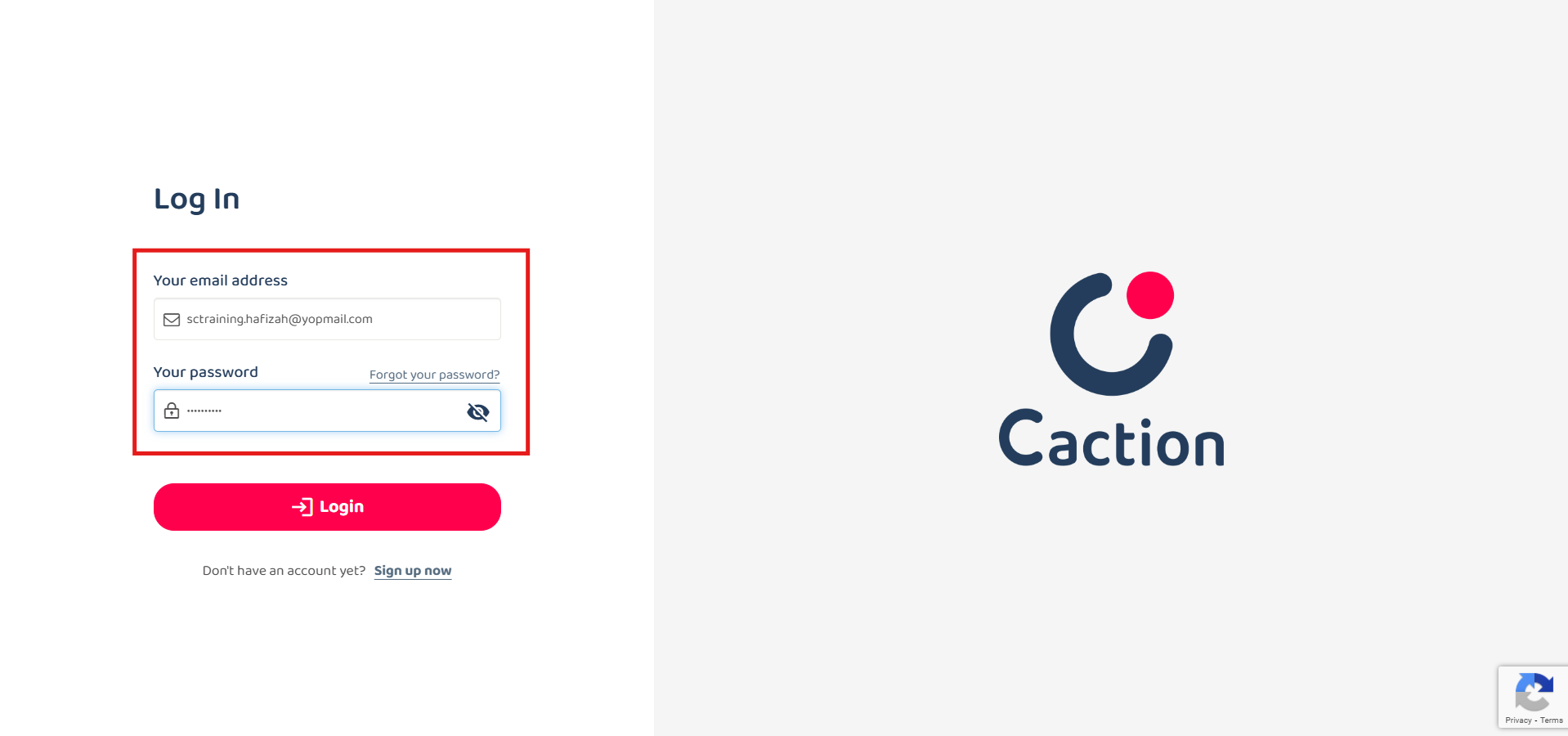
-
Click the “Login” button to login.